Stocks
Samsung Electronics earnings: three things to watch
In use on tokenpost.com and econotimes.com
Linky is a learning AI: it reads the site itself and learns again each time new content is published. It summarizes the content a user is reading, answers questions and guides them to what they are looking for on the site.
This is an example screen. For product placement we are taking inquiries from shops.
Its place in the user's journey
Of the five steps, the AI navigator covers guiding. It answers questions and leads to the next content.
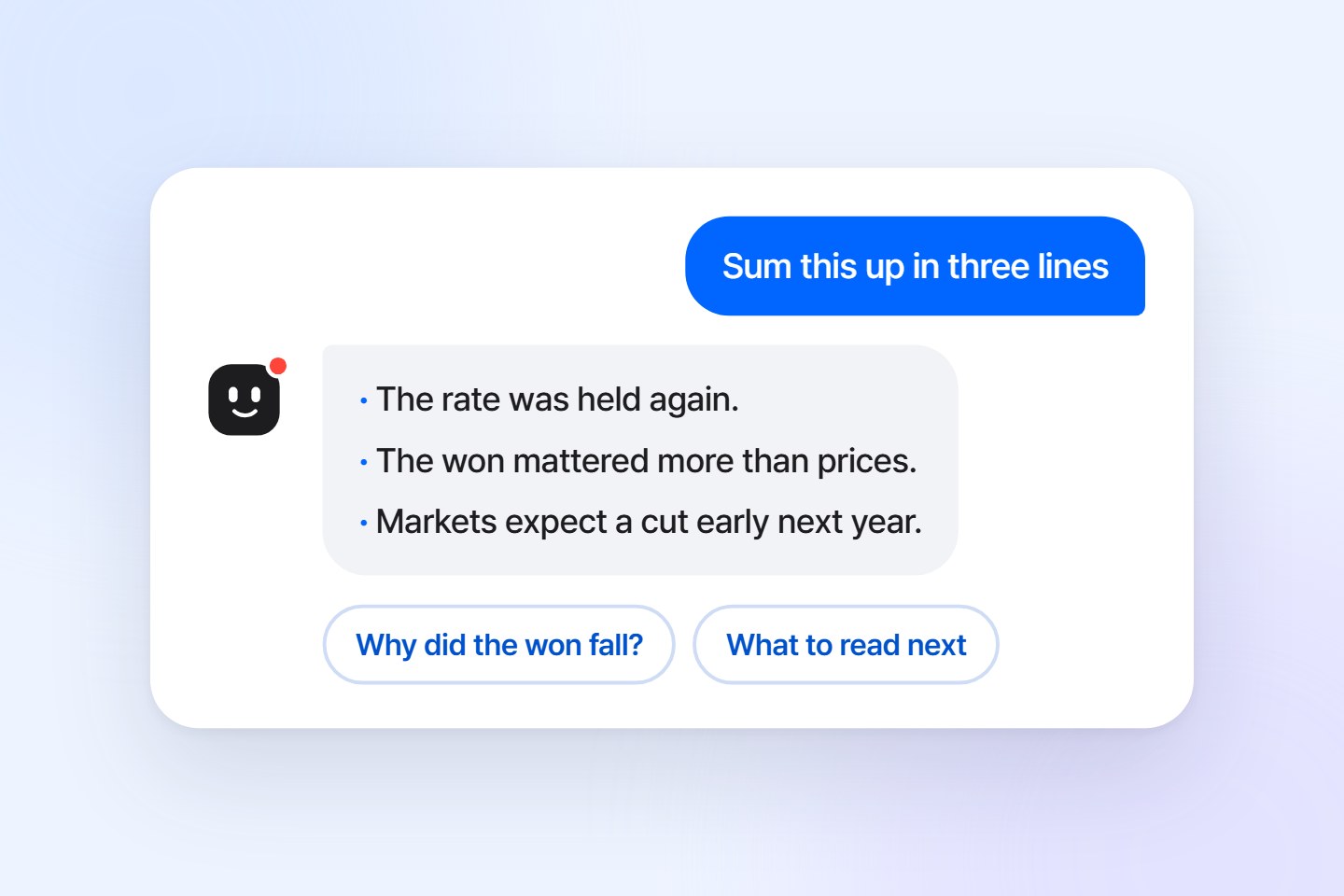
It is Linky, a guide character beside the content. Linky summarizes the page the user is on and answers questions from what that page says. If something is not in the content, Linky says so.
After answering, Linky points to the next content to see on the site. When a user hesitates, Linky speaks first.
Answers come from the content the user is looking at.
←Which questions were common is collected in the publisher's console.
Linky is the publish.link AI navigator. It stays quietly next to the content, and when a user calls, it finds the way around your site. It answers briefly and politely, and does not joke or give opinions. Move your mouse and Linky follows it with its eyes.
"Ask me anything about this page."
"I am looking for related content."
"Here it is. This page covers it in detail."
"This page does not cover that. I can answer questions like these."
On PC it opens as a chat window in the corner of the screen, and on a phone as a sheet that slides up from the bottom. The phone sheet uses the full screen width and sits above the keyboard. Once per visit, the Linky button offers a three-line summary in a speech bubble. Click a question in the PC example to see for yourself.
Tech
Smart glasses: what changed this year
This is a scripted example conversation, not a screen where a real AI answers. The publisher sets the button's position and color.
The publisher can change Linky's body color and name. To users it looks like that publisher's own guide.
Listed in the order a user reading content actually does them.
It reads the page the user is viewing and answers from its content. It also summarizes and explains difficult passages. After the answer it shows two or three questions the user might ask next.
When Linky is opened, a one-line gist of the page and three questions made for that page are shown first. They are made once per page and reused.
Ask something like "Where can I read about the stock market" and it picks the matching section from the site menu and shows a button that goes there. Depending on site settings, it also appears on the home page and section lists and tells users what is on that screen.
It attaches up to three links to other content on the same site to an answer. It picks them from the links on that page and from content Linky has read before.
Text size buttons enlarge the body text in four steps, and answers can be listened to as audio. Both are done by the user's browser, so they use no tokens.
It answers in Korean, English and Japanese. If a user asks in another of these languages or asks for a translation, it answers in that language.
When Linky is opened on the home page or a list page, it picks three recently published pieces of content and introduces each in one line. This is made once every two hours and reused, and uses no tokens.
Users can mark whether each answer was helpful. The publisher sees the questions rated as not helpful together in the admin screen.
Linky reads the site's menus, looks at what has recently been published under each one and writes down what is where. When a user asks where to find something, Linky names the right place and adds a button that goes there.
Linky looks at the page's actual background colour and goes light or dark to match. When the site's own switch changes it, Linky follows. You can also fix it to always light or always dark.
About once a day Linky studies the recent content again and rewrites what the site is, what it has been covering lately and which terms keep coming up. When a user asks about the site, Linky answers from this.
When the publisher writes down guidance that is not in the content, such as how to subscribe or where to send tips, Linky passes it on as written. You can teach it straight from a question Linky could not answer.
There is no code to change for each site. Turn it on from the script you already installed; staff see it first, then it is opened to users.
It reads the home page and two content pages itself and works out where the body is, the language and the menu. It writes two sentences introducing the site and refers to them in every answer. After that it keeps reading the sitemap and feeds to learn new content.
Open the site once with ?linky-preview at the end of the address and Linky is shown only to that staff member. Users do not see it yet.
Once checked, open it to users. Linky does not overwrite settings the operator set by hand.
tokenpost.com and econotimes.com use it in this order.
When a user asks a question, a separate model that only makes judgments (Jev) looks at it before the AI that writes answers does. Questions unrelated to the content or the site, and questions that try to trick the AI into doing something else, are blocked here. Blocked questions never reach the AI that writes answers.
Questions that pass are handed to the AI together with the page the user is viewing and the two-sentence site introduction. The AI writes an answer from that page, and says so when something is not on the page.
The same judgment model classifies each piece of content by topic and by how much background knowledge it takes to read. It also checks whether a product would sit naturally next to the content. This classification is used for shop partnerships.
If the AI makes up something the publisher did not write, the publisher bears the responsibility. So we narrowed the scope of answers and put a limit on usage.
Answers are taken from content that publisher published. If asked about something not in the content, it says so and shows questions it can answer instead.
At the start of a conversation and on every answer, it is labeled as an AI-generated answer. Users are told to check numbers and dates in the original content.
A daily answer limit is set for each site. Only the answers included in the plan are used, so the bill never goes up.
An answer is counted only when a user's question was answered. Blocked questions, text size changes, listening to audio and top stories on the home page are not counted.
The one-line gist, example questions and topic classification are made once per piece of content and are not taken from your answer count.
Included in the Free plan. When they run out, only Linky stops answering; notifications and statistics keep working. If you need more, move up a plan.
What is in preparation is labeled as in preparation.
When a user says "Find me the page on X", it searches the content collected from the sitemap and RSS and attaches links. It searches the body text as well as the title and summary. Bodies are read in order from the newest, so older content becomes findable a few days later.
Of the products the publisher registered, those that fit the content are shown in fixed slots below the content and below the answer, labeled "Ad". Whether a product fits is judged separately for each piece of content, and none are attached to content about accidents or crime. We are taking inquiries from shops.
A feature that works out topics of interest from the content a user reads and sends notifications only to that user. It is turned on separately from Linky, and it is in use on tokenpost.com.
A feature that varies answers and recommendations according to what the user has read.
Users' questions become material for the publisher. The publisher sees directly which questions came up on which content and uses them to decide what to publish next.
Tell us your site address and daily visitor count, and we will send you installation steps and a schedule.
Received. We will reply to the contact you left.
That did not go through. Fill in all three fields and send again.