Stocks
Samsung Electronics earnings: three things to watch
In use on tokenpost.com
Users who often read market content get market news, and users who often read product content get product news. We work out topics of interest from the content a user reads, and staff send notifications only to users interested in that topic.
This is an example screen. Click a category to change it. Reading history and interest notifications are in use on tokenpost.com, and for product notifications marked (Ad) we are taking inquiries from shops.
Its place in the user's journey
Of the five steps, personalized notifications cover understanding. Topics of interest are worked out from the content read and used for return notifications.
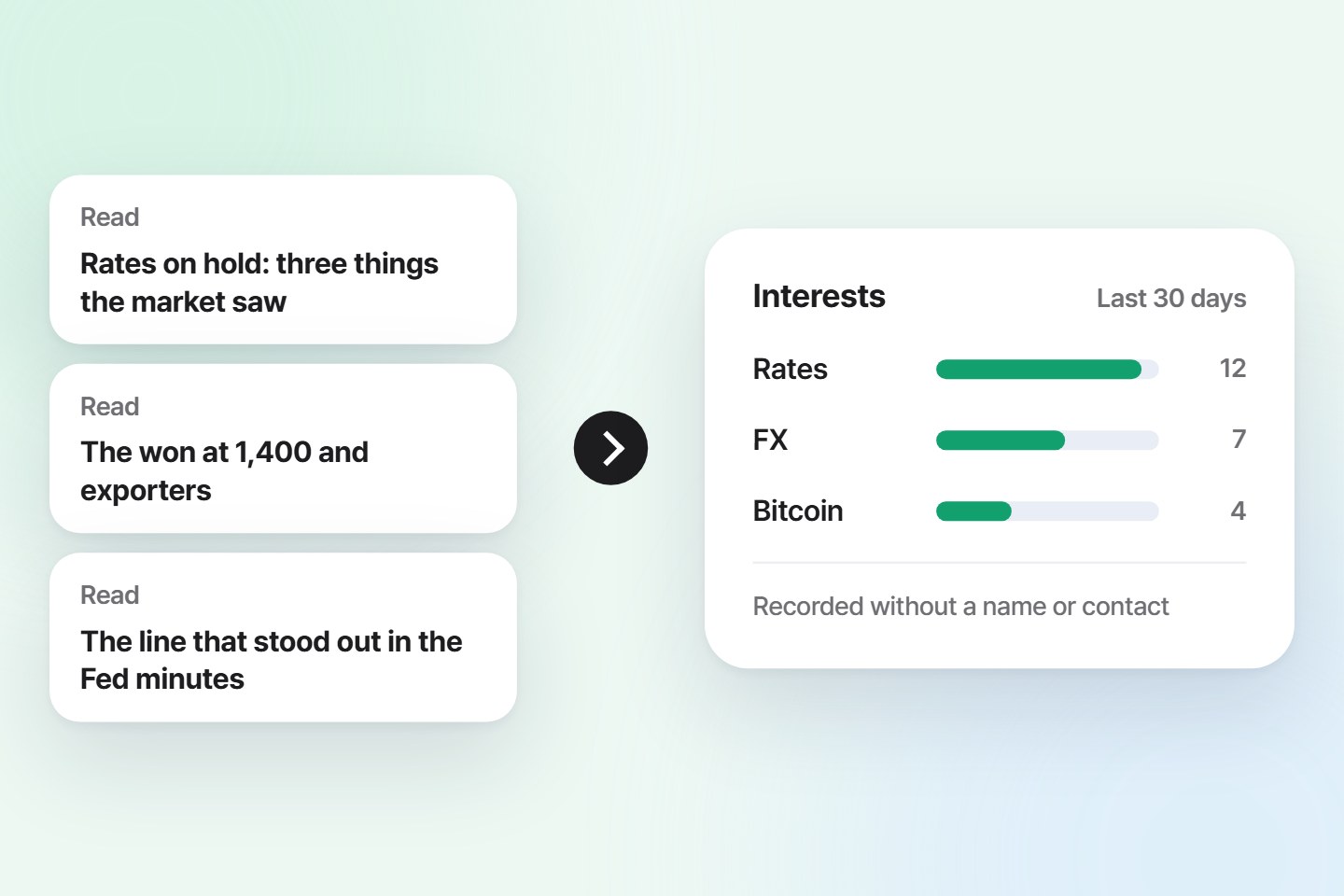
We record which content a user read, without a name, and treat the topics they read often as that user's interests. If the user subscribed to notifications, staff can send a notification from the console only to users with that interest.
The feature is turned on per site and is off at first. It runs on the script you already installed, so there is no more code to add.
The feature is in use on tokenpost.com, and we are taking more publishers. It is still early, so this page gives no performance figures.
These are the lock screens of two users who subscribed to the same publisher on the same day. When staff send by interest, each user gets different notifications.
This is an example screen. The titles are made up and are not real content.
When a user comes to the site, one randomly generated code is stored in that browser. When the user views a piece of content for more than 15 seconds and scrolls down, a record remains that "this code read this content for this long". Content opened and closed right away is not recorded.
Name, email, phone number and IP address are not stored. No login is needed. Codes are made separately for each site, so even if one user reads two publishers, the two records are not linked.
Records are deleted after 90 days. Users who turned on a do-not-track signal in the browser (Do Not Track, Global Privacy Control) are not recorded. If a user clears the browser's site data, the code is gone too.
Only a random code, the content read and the reading time are kept. No name or contact details.
We do not take information that shows who someone is. Browsers with a do-not-track signal on are not recorded.
When a user reads three or more pieces of content on the same topic, that topic becomes an interest.
Here is how it goes for a user who often reads Markets & investing content.
The user reads several Markets & investing content. Only content viewed for more than 15 seconds and scrolled is counted.
The topics of the content a user read are classified automatically. Staff do not need to tag each piece of content with a topic.
A user who read three or more pieces of content on the same topic gets that topic as an interest.
Click "Personalized send" once and each user gets the newest content on their own interest. Users interested in Markets & investing get market content, users interested in technology get technology content, and each person gets only one piece. With interest notifications turned on, notifications are created for you when new content comes out, with no more than three a day and one per topic.
There are five topics: Policy & regulation, Markets & investing, Companies & industry, Technology & products, and Consumer & living. Content that fits none of them is not counted toward interests. Classifying topics uses no tokens.
A user who read three or more pieces of content on the same topic in the last 30 days has that topic as an interest. Recently read content and content read for longer count for more. Each user has up to two interests.
For users who subscribed to notifications, the interest is attached as a subscriber attribute. So when you send a notification, you can choose recipients by that attribute. Users who did not subscribe to notifications get none.
Turn on, view and send, all from the one "Reading history · Interests" screen in the console.
Turn on reading history for each site. Before turning it on, the site's privacy policy must describe reading history.
See how many users have an interest, which topics were read most, and how many subscribers can be notified for each interest.
When sending a notification, choose the "Interest: Markets & investing" segment as the recipients. When sending from your server, put the same segment in the send API.
What is in preparation is labeled as in preparation.
Products matching topics of interest are shown through notifications. We are taking inquiries from shops.
There is no feature yet that suggests content on another topic to users interested in one topic.
Interests are divided into the five topics only. They cannot be narrowed further, such as "users who read about Samsung Electronics".
For product notifications we are taking inquiries from shops. Allowing notifications does not mean agreeing to receive ads, so we keep the rules below. Notifications that get no response can get the publisher's notifications blocked altogether, so the number is limited too.
Even if a user allowed notifications, product notifications go only to users who agreed separately. Consent is confirmed again every two years.
Product notifications start with (Ad) and name who is sending the ad.
No product notifications are sent from 9 PM to 8 AM.
Every notification has a way to opt out, and it can be turned off without logging in. Once turned off, sending stops at once and the user is told the result.
Reading history is used only within that publisher. It is not combined with other publishers' records and is not given to shops.
We are also taking publishers who want to try reading history and interest notifications first. Tell us your site address and daily visitor count.
Received. We will reply to the contact you left.
That did not go through. Fill in all three fields and send again.