
Subscription prompt
Choose from a card, a top bar, an in-content block or a bell button, and set the wording and when it appears.
Available now
Send browser notifications to users who allowed them. New content and breaking news reach users even after they have left the site.
This is an example screen. Each site sets the look, wording and topics of the prompt.
Its place in the user's journey
Of the five steps, push covers the return. It notifies users who left and brings them back.
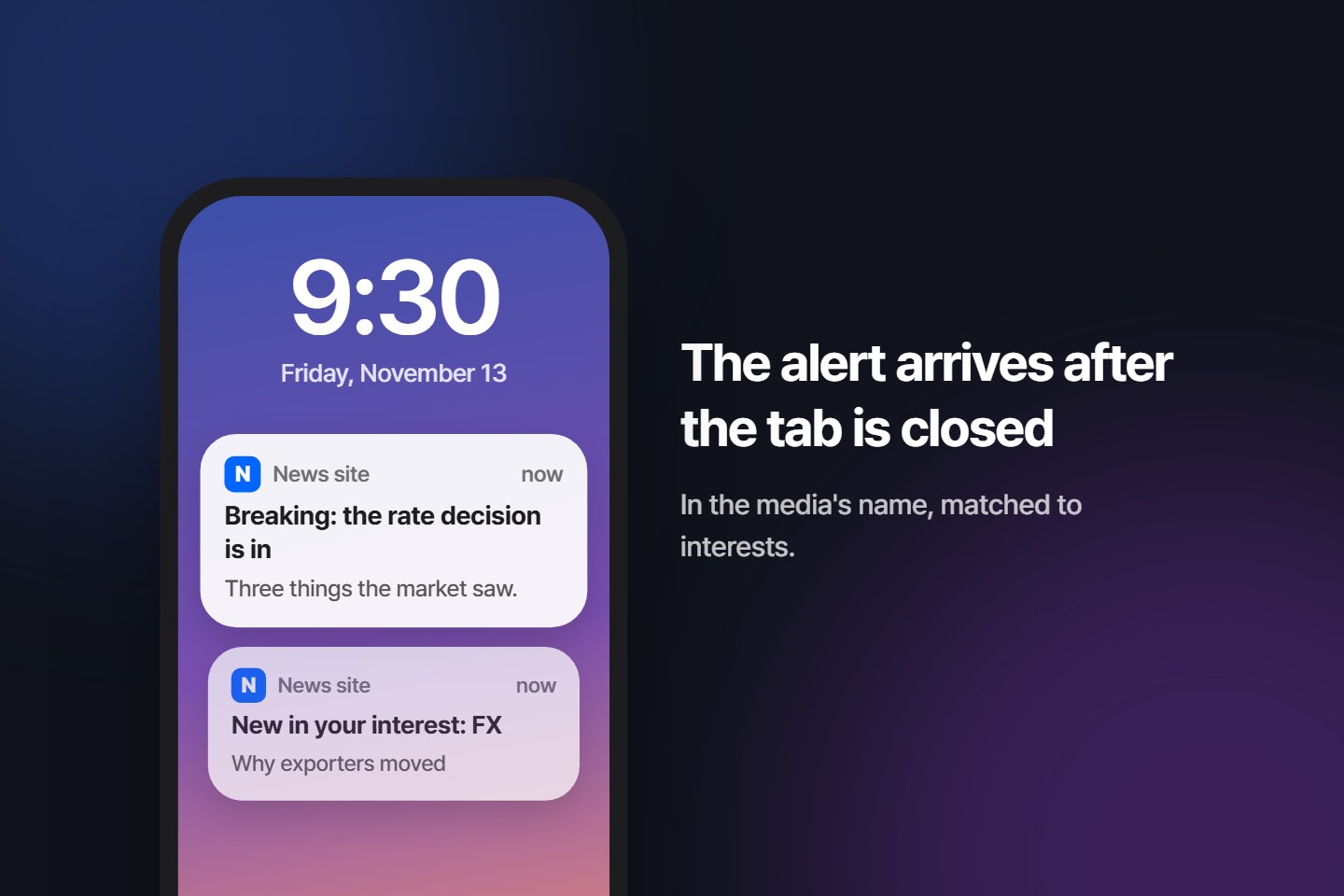
Web push is a notification feature built into browsers. Once a user clicks "Get notifications" on a site, notifications arrive on their phone and PC screen even when the site is closed. Clicking a notification opens that page directly.
There is no app to build, and no user email or phone number is collected. You can send only to browsers where the user clicked allow, and users can turn it off at any time in browser settings or with the bell button on the site.
A newsletter is seen only when the inbox is opened, and app notifications reach only users who installed the app. Web push is different in that it also reaches users who visited the site once.
Sent only to browsers the user allowed, under the publisher's name.
←How many received and clicked comes back as statistics.
There are four shapes, from a card that stays out of the way to a block inside the page. The site sets the wording, colours and topics.
These are example screens. Several shapes can be used together.
Press one in the console and its shape and colours fill in and show in the preview at once. After that, the colours and wording can be changed to suit the site.
Once allowed, notifications arrive even when the site is closed. They can carry a picture and buttons, and a click opens the content.
These are example screens. Notifications look slightly different on each device and browser.
These features are in real use running news sites.
Choose from a card, a top bar, an in-content block or a bell button, and set the wording and when it appears.
Set how far a user reads before the prompt shows, and on which devices and addresses. For users who decline, the wait before asking again can grow each time.
Subscribers choose the topics they want, and you can split the audience by device or attribute.
Send right away from the admin screen, or set a time and schedule it.
One goes out right after subscribing, and up to two more follow some days later. Users who turned notifications off in between are not sent them.
Hold alerts overnight and send them in the morning, and limit how many one subscriber gets in a day and repeats of the same content.
It reads the site, finds new content by itself and notifies every subscriber. There is no feed address to enter and no plugin to install. You set how many a day and which addresses, or have it make drafts only.
It picks recently published content that has not been sent yet. One click turns it into a draft.
Pressing the bell opens the list of recent notifications. Users who missed one can see it again on the site.
Send from your server to everyone, a segment or a single subscriber. The format is the same as Webpushr. Sites with reading history turned on can send each user content that fits their interest in one call.
Set price and percent-change conditions, and a notification goes out automatically when they are met.
Post to a channel and the same content goes out as web push.
Check how many of the people who saw the prompt subscribed, how far a notification reached and how many clicked it.
See the path from prompt view to subscription, the pages where people subscribed, and reach and clicks for each notification.
Visitors who allowed notifications on Webpushr are moved over without being asked for permission again.
Users install nothing. Allowing notifications once is enough.
Works on PC and Android.
Works on PC and Android.
Works on Mac.
Works on iOS 16.4 or later when the site is added to the home screen.
A site key and a send API key are issued separately for each site when you join.
Put it in the site's head and the subscription prompt appears.
<script
  src="https://publish.link/sdk.js"
  data-site="SITE_KEY" async>
</script>
Place one file at the site root and the site can receive notifications.
// /webpushr-sw.js
importScripts(
  'https://publish.link/sw.js?site=SITE_KEY'
)
Send from the admin screen, or call the API from your server.
POST https://publish.link
  /v1/notification/send/all
Tell us your site address and daily visitor count, and we will send you installation steps and a schedule.
Received. We will reply to the contact you left.
That did not go through. Fill in all three fields and send again.